Ads & trackers gone
Blocks ad, tracker and malware addresses on websites and in many apps.
A family filter for the whole home. Turn it on once for your home Wi-Fi and it works on every phone, tablet, laptop and console at home, with nothing to install.
Free forever: all filtering features, 150,000 lookups a month, no card needed. Upgrade to Basic, Family or Family Plus for unlimited filtering from servers near you.
All website categories, app blocking and schedules are included on Free.
See all plans · set up in about 5 minutesUsing Android? Download the SwearGuard DNS app for guided phone setup. Signed early-access download; coming soon to Android app stores.
Free includes all filtering features for your home and devices: website categories, schedules, app blocking and optional activity history. Your account shares 150,000 lookups a month. These are real screens from the SwearGuard DNS portal. See every app and game you can block, and how to block AI chatbots and AI companion and role-play apps.
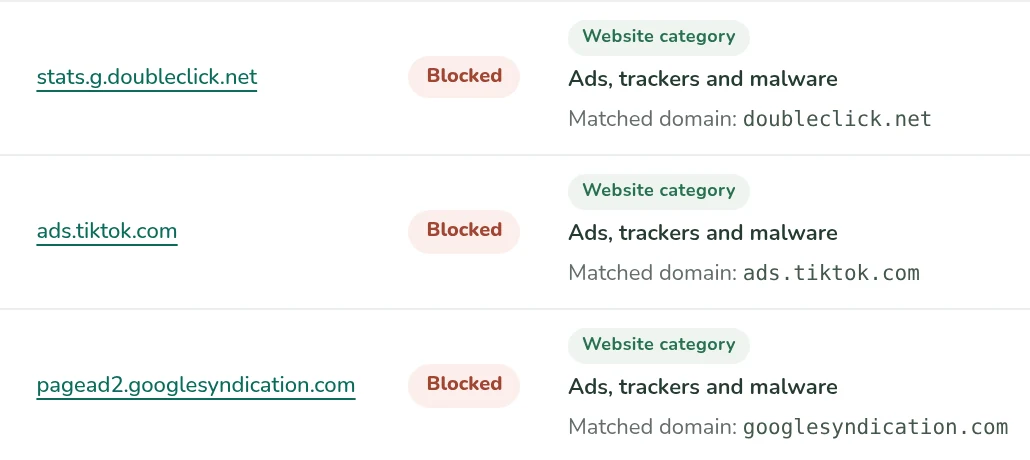
Blocks ad, tracker and malware addresses on websites and in many apps.
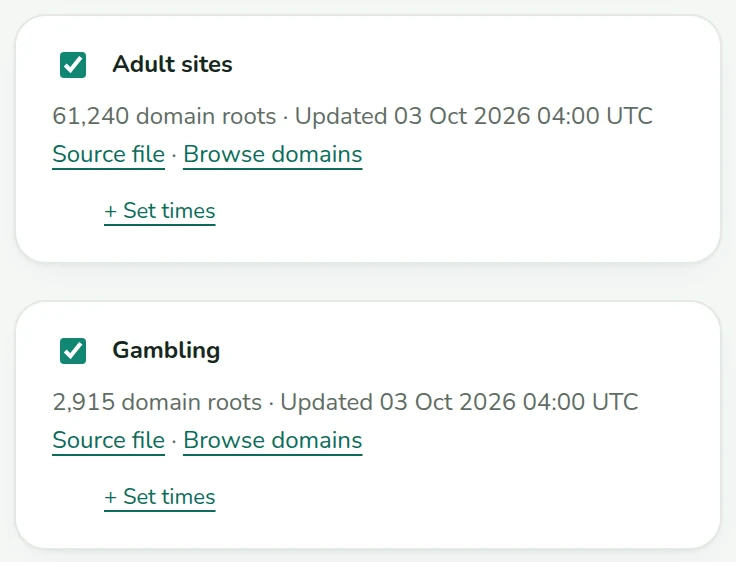
Choose adult sites, gambling, dating apps, random video chat, piracy, drugs and more. Every category is included on Free.
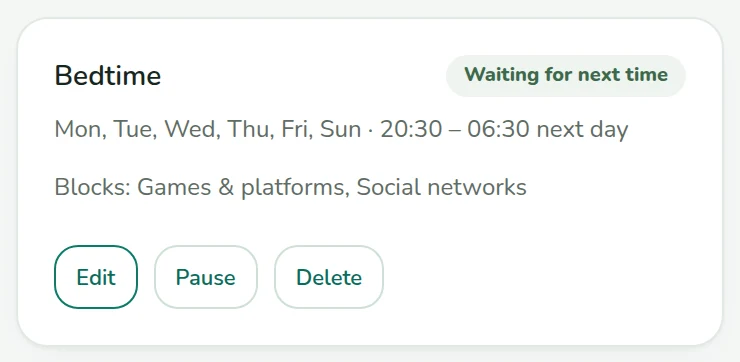
Switch off games and social apps like TikTok or Roblox at the times you choose.
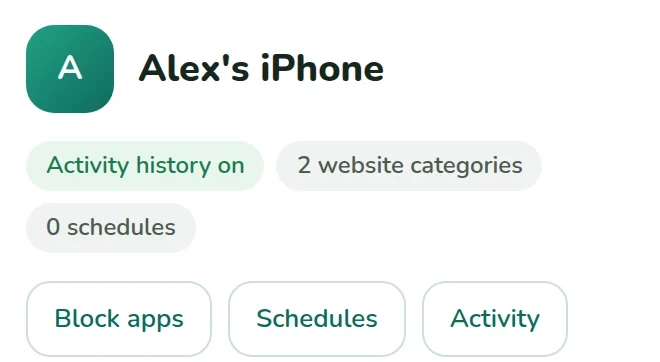
Give each phone or computer its own rules and schedules, including on Free. Once set up, devices keep their filter rules outside the home.
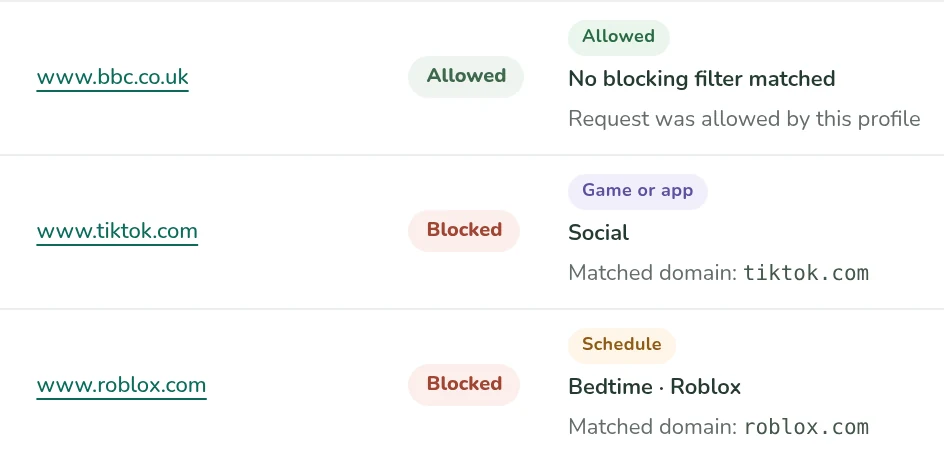
Every plan includes optional activity history: each site, what happened and which rule did it. Off unless you turn it on.
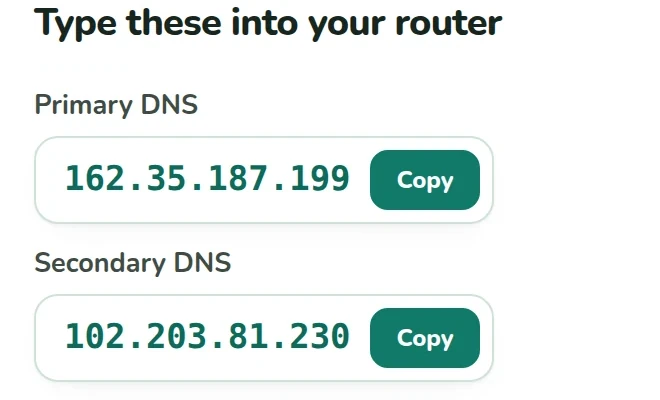
Turn it on once for your home Wi-Fi and every device at home is filtered. Setup shows you what to type, step by step.
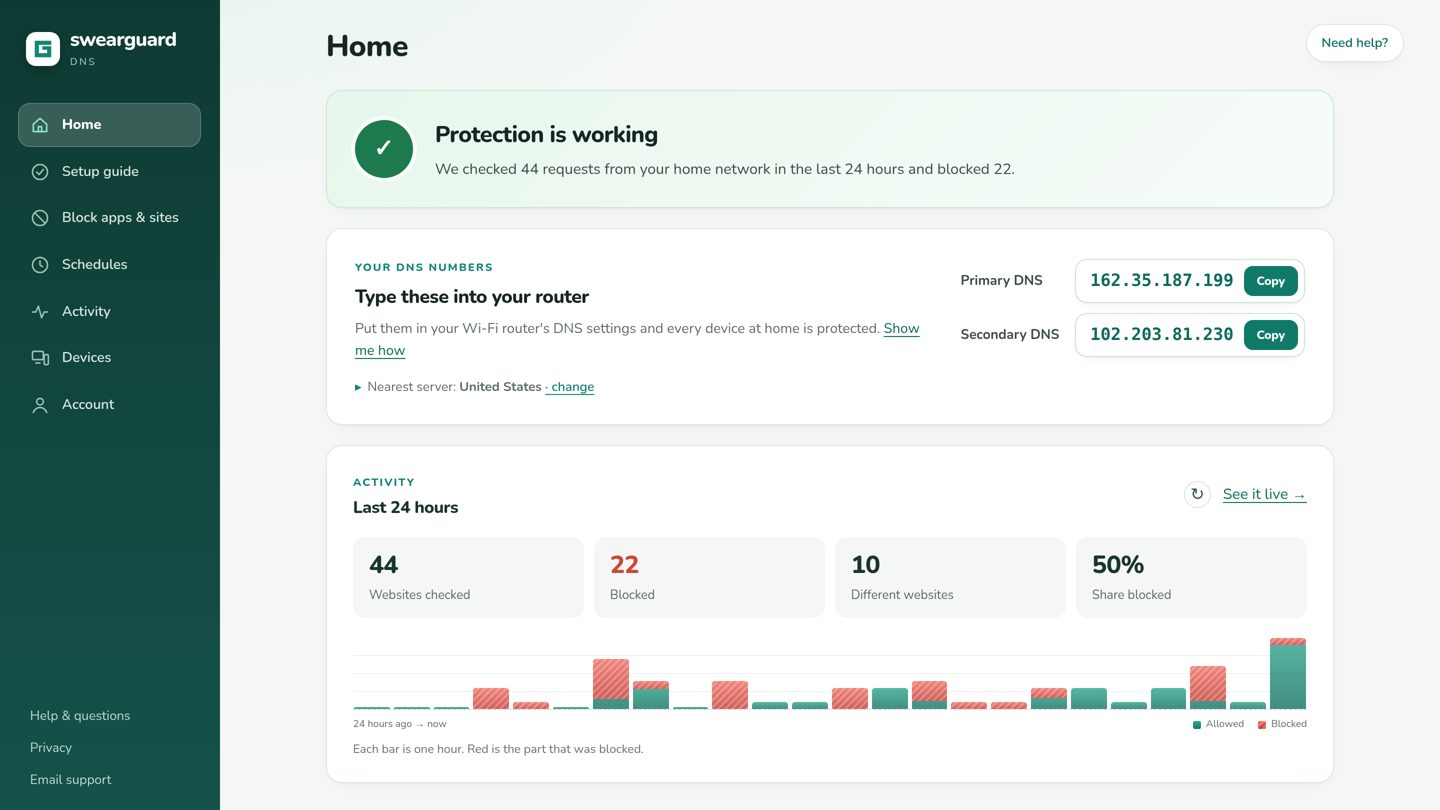
Start free and confirm your email. Adult sites, malware, ads and trackers are filtered by default. Choose other categories, apps, games and schedules in your account.
Type two numbers into your home Wi-Fi settings. Our guide shows you where, step by step.
Every device at home is filtered, with nothing to install. Change rules any time; they apply in seconds.
SwearGuard checks domain names against public threat lists. The Phishing & malware filter uses HaGeZi's full threat feed for reported malware, phishing and typo scams, plus targeted checks for Unicode look-alikes of popular websites.
We check security feed updates every four hours and keep the last valid list if a download fails. A new check does not always mean the source has new data. You can allow a trusted website if a list gets it wrong.
You can also choose stricter filters for newly registered domains, parked websites, link shorteners and known ways around a family filter. Parked and new websites are not necessarily harmful; the parked-domain and new-domain filters stay off unless you choose them.
DNS filtering cannot inspect individual pages, messages, pictures or downloads. We do not currently integrate Google Safe Browsing or a dedicated IWF child-abuse list, and we do not run a live generated-domain detector. Keep your browser's security protection on.
Paid plans open soon. You can keep using SwearGuard Free in the meantime.
Free forever: all filtering features, 150,000 lookups a month, no card needed. Upgrade to Basic, Family or Family Plus for unlimited filtering from servers near you.
$0 forever
No card needed
150,000 lookups a month, shared by your home and devices across two DNS addresses.
New York + Los Angeles DNS
Start free$3.99 a month
or $39 a year (2 months free)
Faster filtering from servers near you
All filtering features with no monthly lookup limit.
Own rules for 5 phones or computers
Choose Basic$5.99 a month
or $59 a year (2 months free)
Faster filtering from servers near you
All filtering features with no monthly lookup limit.
Own rules for 12 phones or computers
Choose Family$8.99 a month
or $89 a year (2 months free)
Faster filtering from servers near you
All filtering features with no monthly lookup limit.
Own rules for 25 phones or computers
Choose PlusFree includes all filtering features. Confirm your email before you start; no card is needed. We show a notice at 80% of your monthly allowance. At 150,000 lookups, filtering pauses and normal internet access continues. Your allowance resets at 00:00 UTC on the first day of the next month.
Choose the allowance and device tier that fit your home.
| Included | Free | Basic | Family | Family Plus |
|---|---|---|---|---|
| Lookups each month | 150,000 shared | Unlimited | Unlimited | Unlimited |
| Devices with their own rules | Up to 50 | 5 | 12 | 25 |
| All website categories | ✓ Included | ✓ Included | ✓ Included | ✓ Included |
| Schedules and bedtimes | ✓ Included | ✓ Included | ✓ Included | ✓ Included |
| App and game blocking | ✓ Included | ✓ Included | ✓ Included | ✓ Included |
| Optional activity history | ✓ Included | ✓ Included | ✓ Included | ✓ Included |
| Filtering locations | New York + Los Angeles | Nearby servers | Nearby servers | Nearby servers |
Every Free home and device shares the same 150,000 monthly lookups across both DNS addresses.
Paid plans renew automatically. Checkout shows the first payment amount and date, and the renewal schedule, before you approve. Cancel anytime in Account. Our 14-day satisfaction guarantee applies to paid plans.
Not at home: you turn it on once for your home Wi-Fi. A child's phone can get a short setup so it keeps the same filter rules outside the home.
No. Blocking happens when a website's address is looked up, which takes milliseconds. Pages often load faster because ads are no longer downloaded.
It blocks ads and trackers that come from separate ad servers, which is most of them. Ads served from the same address as the video or page itself (for example inside some video apps) can't be told apart and still show.
It is turned on once for the whole home, not on each device. Our setup guide also shows how to stop devices changing their own settings.
Free forever: all filtering features, 150,000 lookups a month, no card needed. Upgrade to Basic, Family or Family Plus for unlimited filtering from servers near you. Paid plans start at $3.99 a month. See plans
A lookup is an address check made by a device. One page or app can make several. Free includes 150,000 each month. We show a notice at 80%. At the limit, filtering pauses and normal internet access continues. Your allowance resets at 00:00 UTC on the first day of the next month, or you can upgrade for unlimited filtering.
Your account and your rules. Activity history is off by default; if you turn it on it's kept for at most 7 days and only you can see it. We never use it for advertising.
Free forever: all filtering features, 150,000 lookups a month, no card needed. Upgrade to Basic, Family or Family Plus for unlimited filtering from servers near you.
Start free