SwearGuard
SwearGuard for Windows · coming soon, not yet for sale

Calm parental control for the PC your kid games on

SwearGuard shows an icon so everyone knows it's on. It notices bad language and shouting, plans screen time for every day, limits YouTube and Shorts, keeps adult sites off the whole PC, and steps in with a friendly warning before anything else.

For Windows 10 and 11. Set up by a parent on a PC they own. Not yet for sale.
What it does

Steps in when things get out of hand

Every feature has its own switch, and every "lock the PC" rule can be set to warn only. You set it up once, on the PC, behind your parent PIN.

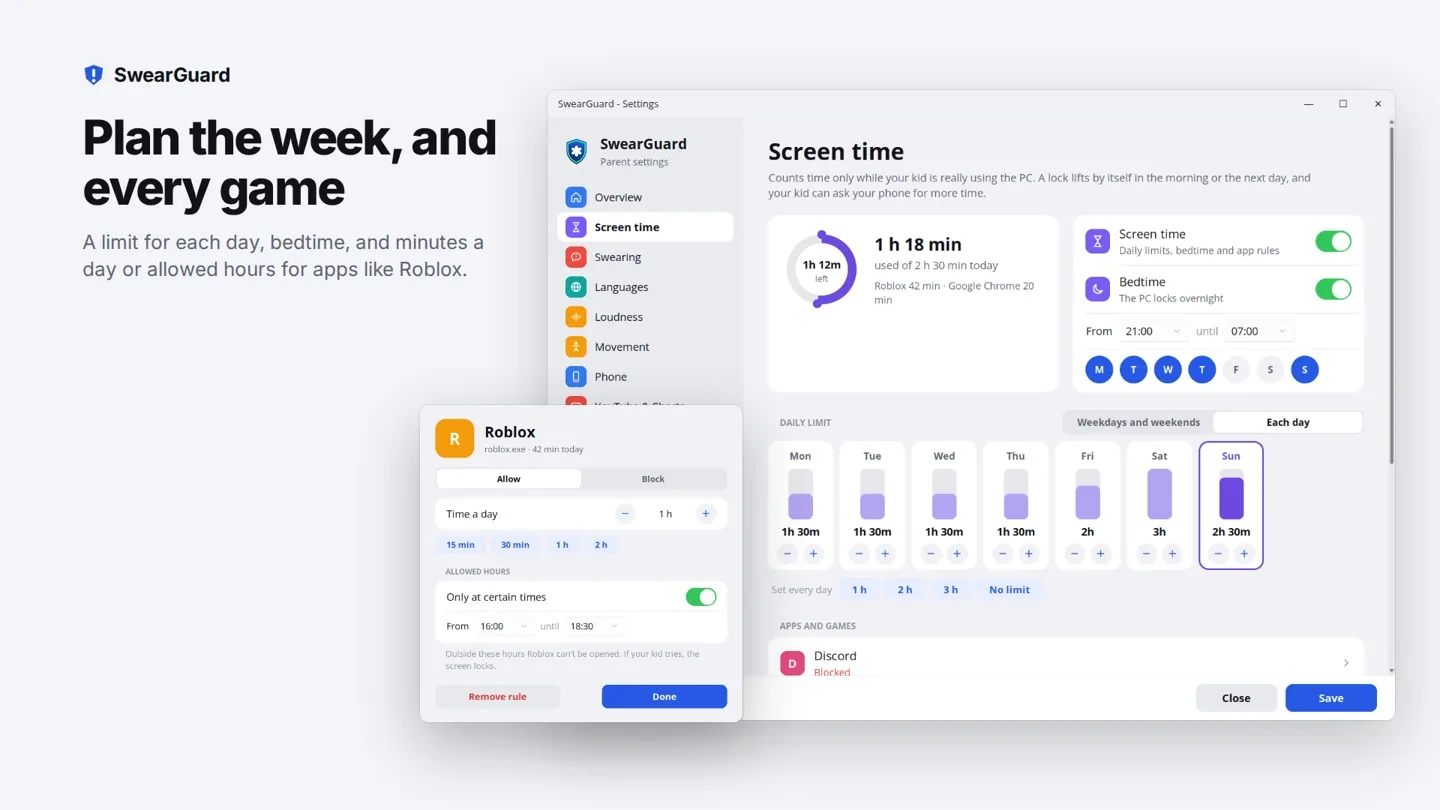
Plan the week, and every game

  • A daily limit for school days and weekends, or a different one for each day.
  • Bedtime: the PC locks between the times you choose.
  • Minutes a day or allowed hours for apps like Roblox or Minecraft, or block them completely.
  • Time only counts while your kid is really using the PC.
The screen time page: a week planner with a limit for each day, bedtime, and a Roblox rule of one hour a day between 16:00 and 18:30

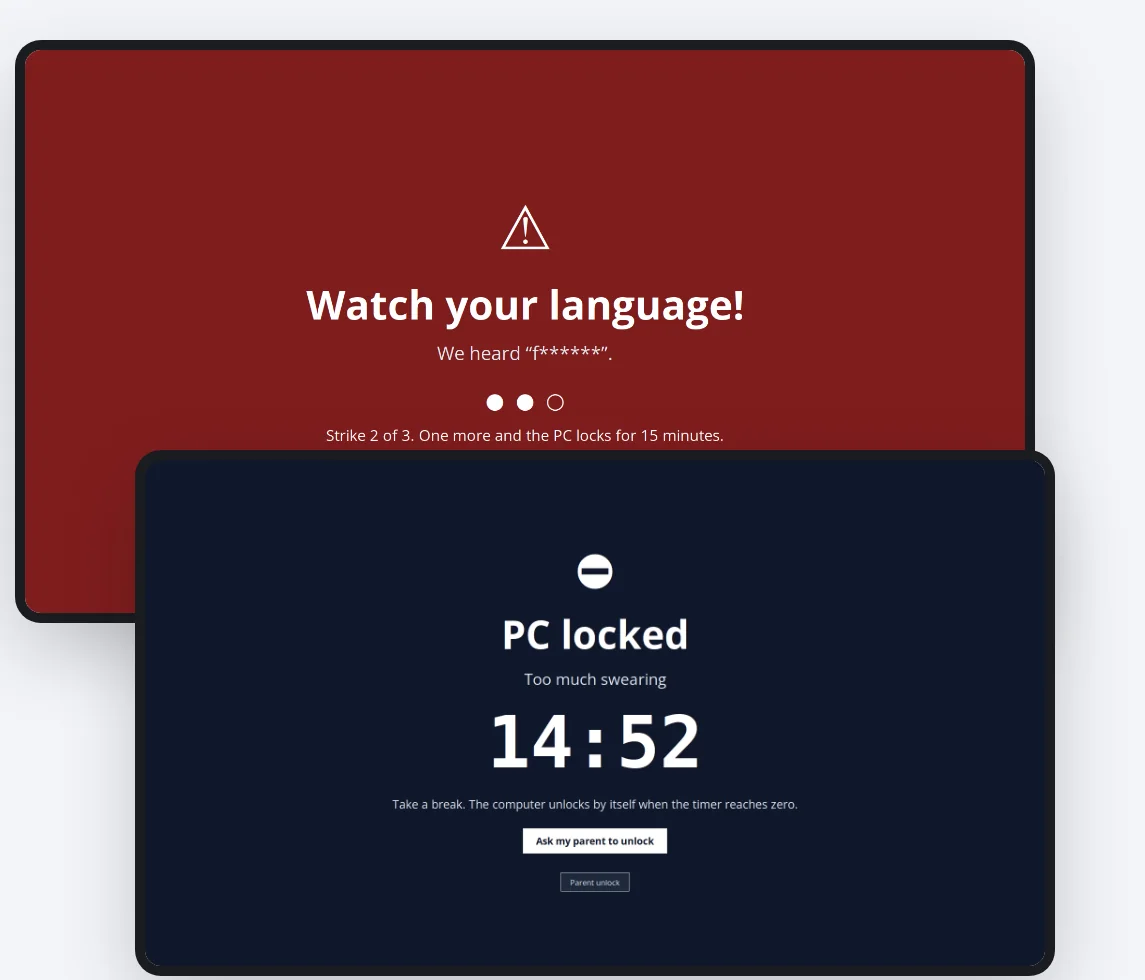
A friendly warning first, then a lockdown

  • Notices bad language in 8 languages, offline, with an accent-friendly English engine.
  • Your kid sees the word masked and how many strikes are left.
  • Too many strikes and the PC locks for as long as you choose, then unlocks by itself.
  • Optional: a warning when sound stays too loud for too long.
A full-screen warning that says Watch your language with two of three strikes used, and the PC locked screen with a countdown

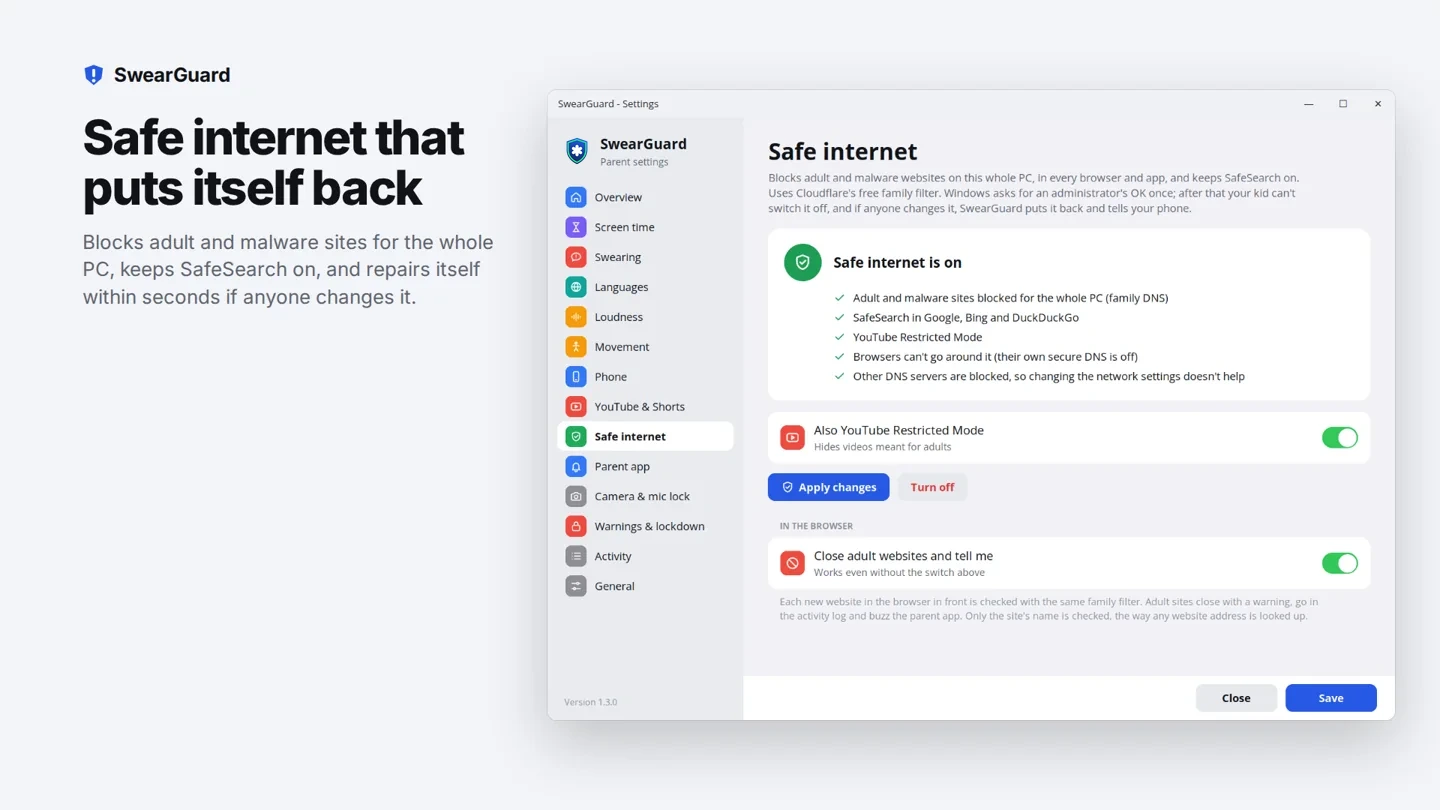
Safe internet for the whole PC

  • One button blocks adult and malware websites in every browser and app.
  • SafeSearch forced on in Google, Bing and DuckDuckGo.
  • YouTube Shorts allowed, limited or blocked, in every major browser, with no extension.
  • SwearGuard keeps the parent's settings in place.
The safe internet page with the family filter, SafeSearch and YouTube Restricted Mode switched on

Kids will be kids

SwearGuard notices bad language and gives a gentle reminder.

Private by design

What happens on the PC stays on the PC

Sound stays on the PC

Language checks happen on the family PC. Audio is processed locally and is not uploaded.

Encrypted to your phone

The SwearGuard Parent app gets alerts and activity end-to-end encrypted. Our server passes along messages it can't read.

Light on games

SwearGuard runs at below-normal priority, so games always get the processor first.

Coming soon for Windows

Not yet available and not yet for sale. Join the waiting list and we'll let you know when it's ready.

Tell me when it's out